Rotate PDF Without Uploading: 5 Local Checks
A Rotate PDF job is not a viewer trick. You need the pages to stand upright for every recipient, not only inside the app you happen to be using. The English tool at jwiseflow.com/en/pdf-rotate-tool/ states that processing stays inside the browser, that nothing is uploaded, and that nothing is stored. This article reads that live copy against the W3C File API and ISO 32000-1’s page Rotate entry. Not a price list. Not a breach we did not open.
Most free “turn pages” buttons still ship the whole scan to a machine you do not run. Convenient when the packet is a flyer. Awkward when it carries a passport page, a bank statement, or a signed lease photographed on a phone.
Files stay in the browser. Quote, fetched 3 September 2026: “Everything runs inside this browser. Your file is never uploaded and never stored anywhere.”
Twin line on the same page: “Files are processed inside your browser. Nothing is uploaded and nothing is stored.” Badge language on the tool family: “PDF tools · nothing uploaded”. If you want proof beyond the lock line, open the Network panel yourself when you press Rotate — that check is yours, not a claim that this article measured a panel today.
In this article
- What permanent page rotate in the browser actually does
- Why uploading a scan just to flip it is a custody problem
- What the live English tool prints (directions, pages, additive Rotate)
- Five checks before you send the upright file
- When to merge, split, or start from photos
- FAQ
🔄 What permanent rotate in the browser actually does
In-browser here is a File API loop, not a slogan. You pick one PDF. The tab reads those bytes. Script rewrites the rotation value stored on each chosen page and hands you a new download. A Rotate PDF step that never POSTs the payload is possible because the W3C File API lets a page work on a local File without a round trip.
1-1. 📂 The File API only sees the file you pick
The W3C File API (Editor’s Draft) is blunt about consent. A page gets a File or a Blob after you make it available — a file control or a drop. Not a license to walk the disk. MDN’s File API page describes the same gate. I will not name a JavaScript library the live page does not name. Processed in the browser is the claim we can stand on.
1-2. 📐 ISO Rotate is a display note, not a redraw
Adobe’s ISO-approved copy of ISO 32000-1:2008 (PDF 1.7) defines the page dictionary entry Rotate: an optional, inheritable integer — the number of degrees by which the page shall be rotated clockwise when displayed or printed. The value shall be a multiple of 90. Default: 0. That matches the live English copy: the tool changes the rotation value saved with each page; it does not redraw pixels; it edits the note that says “show this page turned 90 degrees,” so quality stays untouched and the job finishes quickly. The same page also says it only rewrites the file structure.
1-3. 👁️ Viewer turn ≠ file turn
Rotating the view in a PDF reader fixes it for you only. Recipients still tilt their heads. Fixing the rotation stored inside the PDF makes it stand up on every device. That permanent-versus-viewer contrast is the whole reason people search Rotate PDF instead of spinning a preview wheel once and calling it done.
Rotate pages in your browser →
📤 Why uploading just to flip pages is a problem
People type Rotate PDF because the alternative is emailing a sideways phone scan and hoping the other person rotates it locally. Once that booklet hits someone else’s disk, you do not control copies, logs, or how long the object sits. Ordinary custody.
2-1. 🗂️ You lose the copy you cannot later delete
Upload-then-rotate is the common free pattern: the site receives the whole file, flips pages on its servers, and hands a new PDF back. You have no clean way to know where those bytes end up or how long they stay. That is a pattern description, not a named vendor. I will not invent a retention clock.
2-2. ⚠️ Upload is a security class, not a named scandal
OWASP’s note on unrestricted file upload lists that uploaded sensitive files might be accessible by unauthorised people. A class. Not a claim that any particular rotate site was breached last week. If the bytes never leave, that class does not get a copy of your scan.
| Question | Can say | Will not say |
|---|---|---|
| Bytes | Inside this browser; never uploaded; never stored (live lock line) | A library name the page does not print |
| Check | You can watch Network / try offline yourself | That the rotate page prints a Network-tab script; a DevTools screenshot |
| Others | Upload-then-rotate, as a pattern | Prices, “lowest”, or a named leak |
| Password | Will not open; remove the open password first | How to strip encryption |
Ad
VT PDRN Reedle Shot Firming Eye Cream5% off with code JXLAB0306 · desk-drawer eye care for long screen daysView details ›
Affiliate link — I may earn a commission.
📋 What the live English tool actually prints
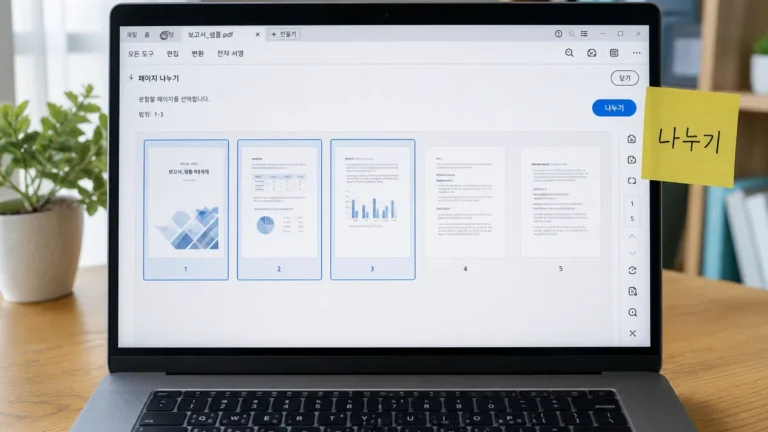
Headline job on the English URL, 3 September 2026: stand up sideways scans — every page at once, or only named pages. Directions: 90° right, 90° left, 180°. A run is pick one PDF, choose a direction, type pages (or leave empty), press Rotate, download. The Korean-language twin at /pdf-rotate-tool/ is the same family with Korean chrome. English readers should stay on /en/pdf-rotate-tool/.
3-1. 🧭 Three directions, multiples of 90
ISO 32000-1 allows multiples of 90 clockwise. The live UI maps that to right 90°, left 90°, and 180°. It does not offer arbitrary angles such as 15°. Do not expect free-angle rotation; neither the page nor the spec supports it. Phone-photo sideways PDFs are exactly the FAQ case the tool page calls out.
3-2. ✍️ How to name pages
Live syntax: leave the box empty and every page is included. Type commas and hyphens for a subset — for example 2, 5-7 means page 2 plus pages 5 through 7. Empty box = all pages is also how the FAQ answers “I want every sheet turned.”
3-3. ➕ Additive Rotate, survivors, and passwords
Pages that already carried a rotation value add to what was already there. Live copy: 90 + 90 → 180. If the result faces the wrong way, go back to the original and pick the opposite direction rather than stacking turns. Text, tables, and links survive — rotation changes only how the page is displayed. Password-protected PDFs will not open. Remove the open password first if you are allowed to. ISO 32000-1:2008 clause 7.6 is the encryption chapter; Adobe’s free copy matches the 2008 ISO technical content. The tool will not break someone else’s password. That refusal is a safeguard, not a tip sheet for stripping encryption.
✅ Five checks before you send the upright file
A Rotate PDF download is not a notarised original. The live footer temperature matches the family: this tool only rewrites the file structure; always open the result once before sending anything important. Five checks. None of them need an account.
4-1. 🔌 Lock line, then your own Network glance
The privacy claim we quote is the live lock line only: in-browser, never uploaded, never stored. The sibling merge page goes further and walks you through a DevTools check; the rotate page does not print that same Network-tab script. What you can still do: load the English tool while online, then — for your own peace of mind — watch the Network panel on the Rotate click, or disconnect and press again. Caveat: the first load of the URL is still a network event; the claim that matters is about the Rotate click. The wording above was checked on 3 September 2026. Why now: the no-upload tool is already live.
| Check | Do | Pass |
|---|---|---|
| 1. Lock line | Read “never uploaded / never stored” on the live page | Wording still matches |
| 2. Optional Network | DevTools → Network → Rotate (your check) | No new request on the click |
| 3. Direction | Pick 90° right / left / 180°; avoid stacking if wrong | Pages face the way you meant |
| 4. Open once | Open the download before email | Upright on a second reader |
| 5. Password | Unlock first if encrypted | File opens in the tool |
4-2. 👁️ Open the download once
Always. Confirm the chosen pages stand upright in a second app — not only in the tab that just wrote them. Confirm you did not add a second 90° on top of a page that already carried one. The tool does not certify legal validity. It rewrites structure. Adobe’s 1.7 text has been the ISO 32000-1 wording since 2008.
📎 After the rotate: merge, split, or photos
The rotate screen stands pages up. It does not glue several files into one, and it does not peel a range out of a booklet. When you need join or extract, use the family tools. JPG or PNG shots belong on image-to-PDF first.
5-1. 🔗 Join or peel with the sibling posts
For the longer privacy write-up on joining without a server hop, see Merge PDF Without Uploading: 5 Checks. For extracting a range or one file per page, see Split PDF Without Uploading: 5 Local Steps. Those articles stay on join and extract. This one stays on permanent page turn.
5-2. 📷 Sideways phone photos become PDF first
Image to PDF takes JPG and PNG. HEIC from an iPhone will not go in as-is. Ten receipt photos become one file first; photo text is not searchable. If those sheets land sideways, come back here and run a Rotate PDF pass on the pages that need it — empty box for all, or 2, 5-7 for a subset.
Ad
VT PDRN Reedle Shot Firming Eye Cream5% off with code JXLAB0306 · desk-drawer eye care for long screen daysView details ›
Affiliate link — I may earn a commission.
❓ FAQ
A Rotate PDF pass on the English tool stays in the tab. Quote: never uploaded, never stored. Directions: 90° right, 90° left, 180°. Empty page box = every page. Additive if a value already exists. Password files stay locked. Open the download once.
6-1. ❓ Can I Rotate PDF without uploading?
Yes. The English tool says everything runs inside this browser and that your file is never uploaded and never stored anywhere. Verify with your own Network panel on the Rotate click, or by going offline after the page has loaded, if you want more than the lock line. I would rather you run that check than trust a paragraph.
6-2. ❓ Is this permanent or only in my viewer?
Permanent for the file you download. The live page contrasts viewer-only turns (fix it for you only) with rewriting the rotation value stored in the PDF so every device shows the page upright. That is the ISO page Rotate story, not a temporary zoom gesture.
6-3. ❓ Why did a second turn make it worse?
Additive. If a page already carried 90° and you add another 90°, you get 180°. Live guidance: return to the original and choose the opposite direction instead of stacking. Do not keep pressing until it “feels” right on top of a prior value.
6-4. ❓ Why won’t a locked file open?
ISO 32000-1:2008 7.6 encrypts strings and streams. The tool will not break that. Remove the open password first if you are allowed to. The live page treats that refusal as a safeguard rather than a limitation.
6-5. ❓ Is Rotate PDF safe for ID scans?
Safer than posting the same scan to a random upload form. On this page’s claim, the bytes never leave the tab. Still: you opened the file in a browser. Close the tab when you are done. Open the result once. I will not call it military-grade.
6-6. ❓ Does quality drop when pages turn?
Not from redrawing — the live copy says the tool does not redraw anything; it edits the display note. Text, tables, and links survive. Quality claims beyond that (every annotation, every form field on every device) are outside what we verified today.
I would rather you read the lock line and, if you care, run your own Network glance than trust marketing copy. A Rotate PDF feature that cannot survive airplane mode after the page has loaded is not the feature this page is describing.
Sources (checked 3 September 2026):
- JLOGUE English rotate tool — live copy quoted above
- W3C File API (Editor’s Draft)
- MDN — File API
- Adobe copy of ISO 32000-1:2008 (PDF 1.7), page Rotate + clause 7.6 Encryption
- OWASP — Unrestricted File Upload (class only)
Quotes are from the live English tool and from the official documents linked above, fetched 3 September 2026. Not a legal opinion, not a penetration test, and not a promise that a future revision of the page will keep the same wording. Open the downloaded file before you send it. Individual files and devices vary. Estimate for reference, not a certified output.